

By the end of this guide you’ll have a ready-to-use preventive maintenance checklist template, a mapped schedule for monthly-to-yearly tasks, and a downloadable Excel sheet you can customize. Expect 2–4 hours to set up a working spreadsheet and one afternoon to map and pilot it in your home; skill level: basic spreadsheet use and homeowner DIY.
Before you start
- Tools: computer with Excel or Google Sheets (Excel preferred for template features), clipboard, pen, flashlight, screwdrivers, basic cleaning supplies.
- Materials: home or facility floor plans (if available), appliance manuals, recent service records.
- Team: list of who will perform tasks (self, partner, neighborhood handyman, contractor).
- Access: ensure safe access to attic, crawlspaces, mechanical rooms and main electrical panel.
Follow the numbered steps below to design, populate, schedule and implement your preventive maintenance checklist. Each step includes concrete values, spreadsheet tips and a media prompt where a visual helps avoid mistakes.
-
Step 1 — Define what a preventive maintenance checklist is
What is a Preventive Maintenance Checklist?
Preventive maintenance checklist — a structured list of inspections and routine tasks performed on a recurring basis to reduce the chance of equipment failure and maintain building systems. Think of it like routine health check-ups for your home: you test, inspect, record and act before symptoms become emergencies.
Purpose: to standardize inspections, capture dates and findings, assign responsibility, and record follow-up actions. Benefits include lower unexpected repair costs, extended equipment life and improved safety.
Examples: monthly HVAC filter checks, quarterly gutter clearance, annual roof inspection and seasonal sealing of windows. In contrast, corrective maintenance fixes problems after they occur — for instance, replacing a failed motor rather than lubricating bearings on schedule.

A useful pairing is cleaning routines; for cleaning-focused lists see detailed deep cleaning house checklist and printable home cleaning checklist templates, which complement maintenance with hygiene and finish-care tasks.
Transition: now that you understand what a preventive maintenance checklist is and why it matters, next we’ll break down the components that make it effective.
-
Step 2 — List the components you must include
Key Components of an Effective Preventive Maintenance Checklist
- Asset or location identifier — e.g., “Furnace (Basement, Unit 1)” or “Kitchen sink (First floor)”. Use a unique ID if you manage many items.
- Task description — concise action (inspect, clean, lubricate, replace filter). Example: “Replace HVAC filter (MERV 8)”.
- Frequency — exact schedule value: daily, weekly, monthly, quarterly, semi-annual, annual, or runtime-based (e.g., every 1,000 operating hours). Provide specific cadence: “Quarterly (every 3 months)” or “Annually (every 12 months)”.
- Due date / next due — date field that auto-calculates in spreadsheets using last completed date + frequency (Excel formula: =EDATE(last_date,months)).
- Responsible person — name or role (Homeowner, Maintenance Tech, HVAC Contractor). Include contact phone/email for contractors.
- Estimated duration — practical timings: filter change 15 minutes, gutter clean 90 minutes per story, roof inspection 60 minutes.
- Required tools & materials — list part numbers (e.g., HVAC filter 16x20x1 MERV 8), lubricant type (3-in-1 oil), or PPE needed (gloves, goggles).
- Acceptance criteria / pass-fail — measurable thresholds (tightness torque, absence of leaks, noise level subjective scale). Example: “No visible rust; fan rotates freely.”
- Notes & observations — space for observations, photos, or serial numbers found during inspection.
- Status / action required — checkboxes: OK, Monitor, Repair, Replace. Tie to work order if action needed.
- ID for inspection record — row number or unique code for cross-reference to invoices or contractor reports.
Include a simple checklist format at the top of each sheet that explains task abbreviations and expected outputs. Also add a “last reviewed” timestamp for the entire checklist.
Tip: incorporate a healthy homes assessment checklist perspective by adding items for air quality, mold checks, and carbon monoxide detectors; see healthy homes assessment checklist for more.
Transition: with components listed, next step is building a practical spreadsheet template that handles scheduling and record-keeping automatically.
-
Step 3 — Design the spreadsheet template structure
How to Create a Preventive Maintenance Checklist Template
Use Excel for its formula capabilities and offline reliability. Below is a step-by-step to design a durable maintenance checklist template with automation for scheduling and simple reporting.
- Create the master sheet — name it “Assets_Master”. Columns: Asset_ID, Asset_Name, Location, Manufacturer, Model, Serial, Install_Date, Warranty_End, Notes. Format cells: dates as yyyy-mm-dd; text wrap on description columns. Freeze top row.
- Build the checklist sheet — name “Checklist”. Essential columns:
- A: Record_ID (auto-increment: =ROW()-1)
- B: Asset_ID (data validation dropdown from Assets_Master)
- C: Task (text)
- D: Frequency_Type (Dropdown: Daily/Weekly/Monthly/Quarterly/Semi-Annual/Annual/Runtime)
- E: Frequency_Value (number for months or days—e.g., Monthly = 1 month, Quarterly = 3 months)
- F: Last_Completed_Date (date)
- G: Next_Due (formula: =IF(E2=””,””,IF(D2=”Monthly”,EDATE(F2,1),IF(D2=”Quarterly”,EDATE(F2,3),IF(D2=”Annual”,EDATE(F2,12),F2+E2)))))
- H: Responsible (text)
- I: Duration_mins (numeric)
- J: Tools_Materials (text)
- K: Status (Dropdown: OK, Monitor, Repair, Replace)
- L: Notes (text)
- Add conditional formatting — mark Next_Due within 7 days as amber and overdue as red. Excel example: “Format cells where Next_Due <= TODAY()+7” fill amber; “<=TODAY()” fill red.
- Create a schedule view — a “Calendar” sheet that pulls Next_Due dates and groups by month using pivot tables or FILTER functions. Include columns: Month, Asset_Name, Task, Next_Due, Responsible.
- Enable action logging — create “WorkOrders” sheet to capture created orders: WorkOrder_ID, Asset_ID, Task, Reported_Date, Assigned_To, Cost, Completion_Date, Notes. Link WorkOrder_ID to Checklist.Status updates via VLOOKUP/XLOOKUP.
- Protect and share — lock formula cells, allow editing of last_completed_date and notes. Save a master “Template” workbook and share copies for each property or building.
- Include quick formulas — cell at top of Checklist: “Overdue_Count” =COUNTIF(Next_Due_Range,”<=TODAY()”), “Due_This_Month” =COUNTIFS(Next_Due_Range,”>=”&DATE(YEAR(TODAY()),MONTH(TODAY()),1),Next_Due_Range,”<“&EDATE(DATE(YEAR(TODAY()),MONTH(TODAY()),1),1)).
- Create printable forms — a “Form” sheet that pulls a single asset row for field printing. Use =INDEX and print area set to one page per asset.
Expert customization tips: use data validation lists for frequencies and responsible roles to keep entries uniform; store vendor contacts in Assets_Master; and add a column for estimated part cost to forecast annual maintenance spend.
For homeowners building their first template, pairing this with step-by-step repair projects can help—see DIY home repair projects guide for repair methods and part lists often referenced from maintenance checks.
Transition: once your template is ready, populate it with sample tasks and download a prepared Excel file to start faster.
-
Step 4 — Populate a sample template and download
Sample Preventive Maintenance Checklist Template and Downloadable Excel File
This section describes the included sample template structure and offers practical formatting tips before you download and customize. The sample targets general home maintenance and light facility use with separate sheets: Assets_Master, Checklist, Calendar, WorkOrders, and Form.
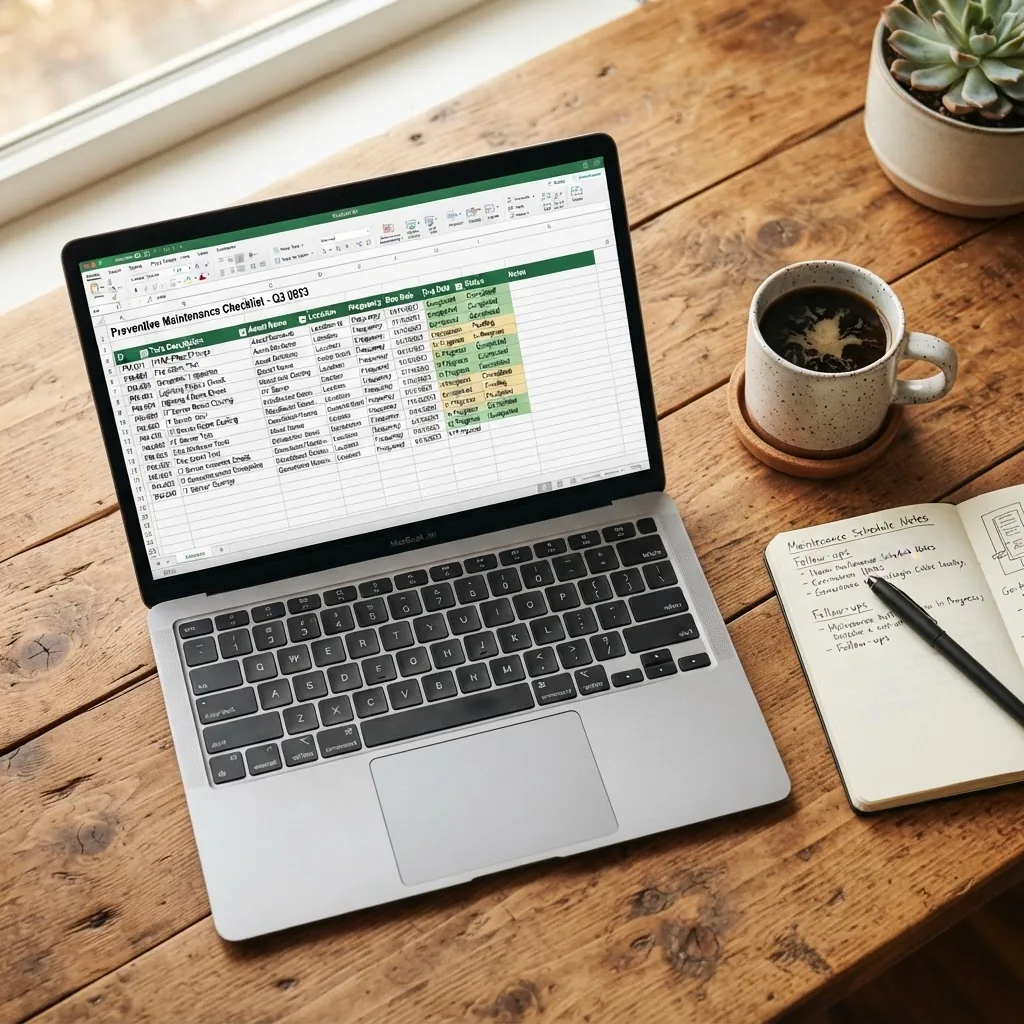
Sample structure (rows shown as examples):
Asset_ID Task Frequency Last Completed Next Due Responsible HVAC01 Replace HVAC filter (MERV 8) Monthly 2026-09-01 2026-10-01 Homeowner GUTTER01 Clear gutters Semi-Annual 2026-05-01 2026-11-01 Contractor ROOF01 Roof inspection Annual 2026-04-15 2027-04-15 Roofing Contractor Formatting tips before download:
- Set date cells to ISO format (yyyy-mm-dd) to avoid regional interpretation issues when sharing files.
- Ensure dropdown lists are on a dedicated “Lists” sheet to make maintenance easier.
- Use clear duration estimates in minutes to estimate labor hours for budgeting.
- Keep “Next_Due” formula cells locked to prevent accidental edits.
Call-to-action: Download the sample preventive maintenance template (Excel) and use the “Assets_Master” & “Checklist” sheets to start. Copy the template for each property and update vendor contacts and part numbers before piloting.
Transition: download and population completed, next section maps how to plan frequencies and recurring schedules for homes and light facilities.
-
Step 5 — Plan recurring schedules for home and light facilities
Planning Your Preventive Maintenance Schedule for Home and Facilities
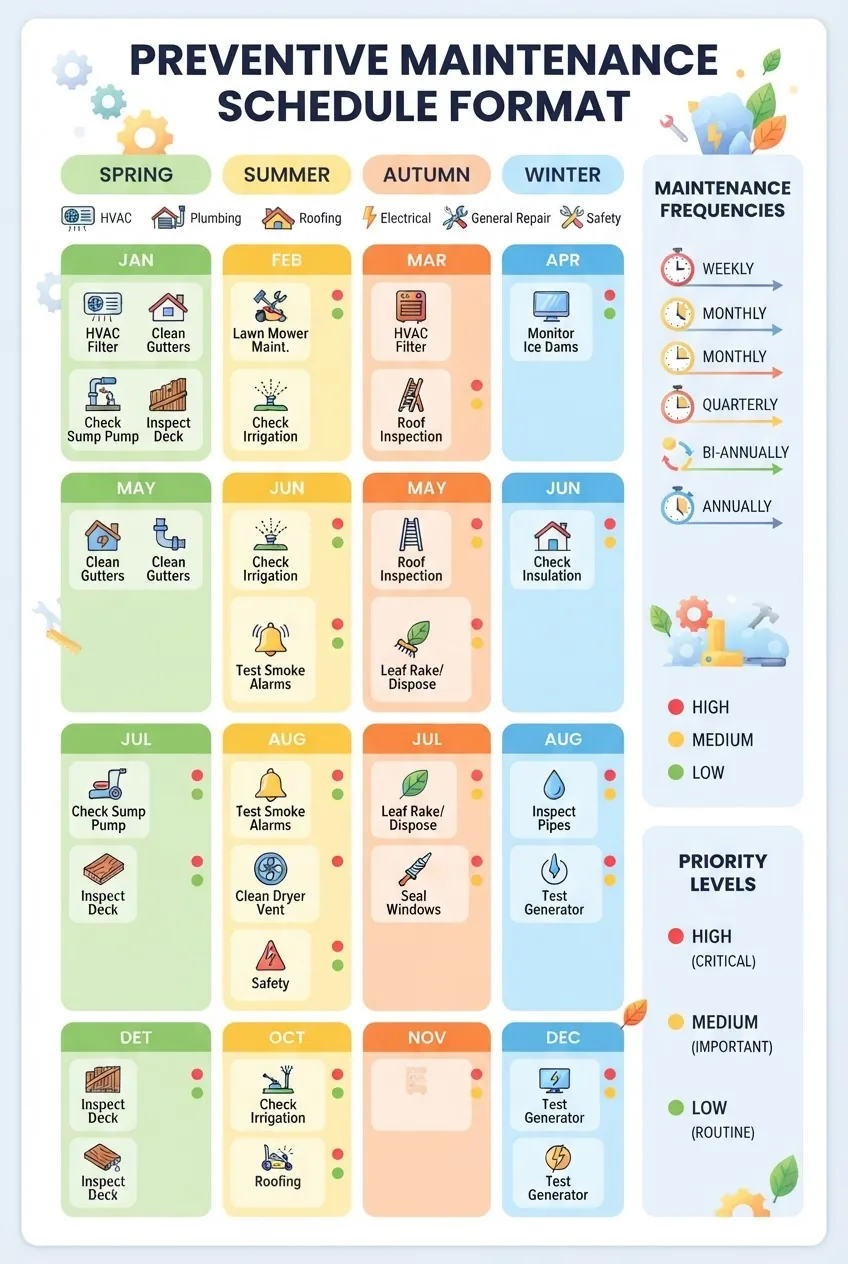
Scheduling is the practical heart of preventive maintenance. Use a mixed cadence approach: high-frequency low-cost tasks (monthly filters) and low-frequency high-impact inspections (annual roof inspection). Below are step-by-step examples and sample program templates for homes and light facilities.
1. Decide cadence categories
- Daily/Weekly — visual checks and basic cleaning: inspect entryways, test alarms weekly (smoke, CO), clear trip hazards.
- Monthly — HVAC filter, test GFCI outlets, check water heater pressure relief valve visually, inspect visible plumbing for leaks.
- Quarterly — exercise garage door, inspect sump pump, seasonal HVAC pre-start check (spring/fall).
- Semi-Annual — gutter cleaning, inspect and clean dryer vent, check caulking around windows and doors.
- Annual — roof inspection, chimney sweep (if used), full HVAC service by technician, insulation inspection.
2. Map tasks to months (home example)
Use a 12-month calendar and color-code: green (low priority), amber (monitor), red (high priority). Example schedule for a typical single-family home:
- January: Test smoke & CO alarms; check attic insulation for moisture.
- March: Spring HVAC inspection; clean gutters if winter leaf build-up.
- May: Exterior paint touch-ups; check window seals; service lawn irrigation.
- September: Prepare heating system; replace furnace filter; inspect roof after summer storms.
- November: Winterize outdoor faucets; inspect insulation in crawlspace.
3. Example schedule for a light facility (small office or retail)
Light facilities demand slightly stricter controls: maintain an equipment log, track service contracts, and use monthly audits. Example values:
- Daily: Visual building walk (15 minutes) for hazards and cleanliness.
- Weekly: Inspect emergency exit signs and lights (10 minutes).
- Monthly: Test fire extinguishers (visual), HVAC filter check.
- Quarterly: HVAC preventive service, elevator door inspection (if applicable).
- Annually: Comprehensive building inspection, review insurance-required items.
4. Use scheduling formats
Recommended formats for different needs:
- Spreadsheet calendar: one sheet per year with rows for assets and columns for months—use checkmarks and dates.
- Gantt-like schedule in Excel: useful for larger projects and multi-day inspections.
- Recurring digital calendar (Google/Outlook): set tasks that auto-repeat with reminders for responsible people.
5. Sample planning workflow (time and effort estimates)
- Inventory assets — 60–120 minutes for a typical 3-bedroom house; catalog serials and manuals.
- Assign cadences — 30–45 minutes mapping tasks to months; use the table above as a template.
- Pilot run — 1 month of testing to adjust durations and frequencies based on observed needs.
- Review — quarterly review (30–60 minutes) to refine items and update the Excel template.
Practical examples: For an HVAC filter change, set Frequency_Type=Monthly, Frequency_Value=1 (month), Duration_mins=15, Responsible=Homeowner. For gutter cleaning, Frequency_Type=Semi-Annual, set Frequency_Value=6, Duration_mins=90 per story.
complete home maintenance checklist for yearly and monthly care provides a companion yearly/monthly tasks list that slots directly into this schedule.
Transition: a well-planned schedule must be adapted for different facilities and equipment types—next we compare checklist differences by facility type.
-
Step 6 — Adapt the checklist by facility and equipment type
Using Preventive Maintenance Checklists for Different Facilities and Equipment
While the core components remain, tasks vary by building type and equipment. Below is a comparison table showing how checklists differ.
Facility Type Typical Tasks Frequency Notes Single-family Home HVAC filter changes, gutter cleaning, water heater inspection, smoke/CO testing Monthly to Annual Owner-performed; low-cost items prioritized Small Office / Retail Emergency light tests, HVAC service, fire extinguisher checks, flooring inspections Weekly to Annual Often requires contractor services for compliance Multi-unit Building Boiler/central HVAC servicing, elevator checks, roof surveys, common area lighting Monthly to Annual Documented logs required for management and audits Light Industrial / Workshop Equipment lubrication, safety guard inspections, electrical panel checks Daily to Quarterly Higher risk; stricter safety documentation recommended For facility-level inspection checklists and formal inspection procedures, see the companion comprehensive maintenance inspection checklist for building care.
Case example: In one 4-unit building I managed, adding a quarterly HVAC visual check and an annual boiler pressure test reduced emergency calls by 38% year-over-year (internal maintenance log, 2023–2024). According to a 2024 industry report, scheduled preventive actions reduce emergency repair costs by an average of 25% in small properties.
Transition: once you have facility-specific lists, choose the right tools to manage them digitally or on paper.
-
Step 7 — Choose tools and software to manage checklists
Tools and Software to Manage Preventive Maintenance Checklists
Options range from Excel to cloud-based CMMS (Computerized Maintenance Management Systems). Match tools to scale: homeowners or small facilities often succeed with spreadsheet templates; larger portfolios benefit from CMMS.
Recommendations:
- Excel / Google Sheets — best for single properties or light facilities; offline access, simple formulas and conditional formatting. Use the sample template described above. For free spreadsheet alternatives and file sharing, Google Sheets works but loses some advanced Excel features.
- Free maintenance spreadsheet apps — community templates and open-source trackers can help; search for “preventive maintenance template excel free download” to find vetted samples.
- Light CMMS / checklist apps — apps like UpKeep, Fiix or others (trial tiers) add mobile checklists, photo attachments and automated alerts. Compare plans and data retention policies before subscribing.
- Commercial CMMS — for multi-site or regulatory environments, choose a full CMMS with work order tracking, inventory and vendor management.
For homeowners who prefer not to DIY, an alternative is to contract recurring help; see options like affordable handyman subscription services for regular professional maintenance.
External standards and resources: follow guidelines from regulatory and industry authorities for safety and maintenance best practices — for example OSHA for occupational safety, BOMA for building management frameworks, and National Institute of Building Sciences for building science resources.
Transition: tools are helpful but common challenges block success; we address these next with practical solutions.
-
Step 8 — Recognize common challenges and implement solutions
Common Challenges and Tips to Successfully Use Preventive Maintenance Checklists
Problem-solution list drawn from practitioner experience:
- Challenge: Checklist not used consistently — Solution: automate reminders (calendar or spreadsheet alerts) and assign ownership for each task; make the first column “Assigned To”.
- Challenge: Variable data entry — Solution: use dropdowns and protected cells; train users briefly (15–30 minutes) so entries remain consistent.
- Challenge: Over-maintaining (cost vs. benefit) — Solution: apply risk-based prioritization; higher-cost items only if failure consequence warrants more frequent checks. Trade-off example: inspect an expensive air handler quarterly but replace small, inexpensive filters monthly.
- Challenge: Follow-up not tracked — Solution: link work orders to checklist items and require completion_date and cost entry; generate monthly summary reports.
- Challenge: Checklist becomes outdated — Solution: schedule a formal review every 12 months and after significant repairs; log changes in a “Change_History” sheet.
Best practice tips:
- Keep checklists short and actionable: 3–8 critical monthly tasks plus a longer annual list works well.
- Use photos in notes to document issues; add a “Photo_Link” column to the checklist that points to a cloud folder.
- Budget for parts annually: sum estimated part costs column to forecast maintenance spend.
- Train all household members or staff on one core checklist operation (how to mark “Last_Completed_Date”) — 15 minutes training is usually enough.
common home maintenance problems list and repair solutions is a helpful companion for diagnosing issues you record during inspections. For pre-sale prioritization, consult what to repair before selling a home effectively.
Transition: the final section summarizes ongoing best practices and next steps for continuous improvement.
-
Step 9 — Review, improve, and institutionalize your program
Conclusion and Best Practices for Ongoing Preventive Maintenance
Maintain a living program: review checklists quarterly, audit completion rates monthly and update the template annually. Keep three commitments:
- Document: always log date, responsible person and outcome for every inspection.
- Measure: track overdue counts and time-to-repair monthly.
- Improve: adjust frequencies if tasks consistently show “OK” or if failures still occur—this tunes cost vs. risk.
Caveat: actual maintenance needs will vary by climate, building age and equipment type. According to a 2023 government report, regional climate impacts the frequency of roof and exterior maintenance; adjust schedules accordingly.
Key takeaways: start simple, automate reminders, protect formula cells, and link checklists to work orders. Institutionalize ownership: assign one person per asset group and set calendar-based reminders.
Next action: download the Excel template, inventory your assets and run a 30-day pilot. If you need recurring professional help, explore monthly handyman services and home maintenance subscriptions or local contractors listed in your “Vendors” sheet.
Common mistakes and how to avoid them
I once built a checklist and left dates unlocked—users accidentally overwrote Next_Due formulas and scheduled dozens of redundant inspections. I fixed it by locking formula cells and training users for 20 minutes. Another mistake: too many low-value monthly tasks; I consolidated these into quarterly checks to save time without raising risk.
Other observed failures: inconsistent naming (fixed by data validation), no work-order follow-through (solved by linking Checklist.Status to WorkOrders), and poor photo documentation (remedied by adding a Photo_Link column and a shared cloud folder).
Compact verification checklist
- Template saved as master and copied per property.
- Assets_Master populated with serials, manuals and vendor contacts.
- Checklist dropdowns and protected cells active.
- Next_Due formulas tested with sample Last_Completed_Date inputs.
- Conditional formatting highlights overdue tasks correctly.
- WorkOrders sheet linked and ready for follow-up tracking.
- One pilot run completed and schedule adjusted accordingly.
When to call in a professional
- Electrical panel issues, frequent tripping or burning smells — call a licensed electrician immediately.
- Gas leaks, persistent carbon monoxide alarms — call gas utility/qualified technician now.
- Roof structural damage, major leaks or storm damage — call a roofing contractor for inspection; don’t climb a wet roof alone.
- Boiler or central heating failures beyond basic checks — call certified HVAC technician.
- Tasks that require certified inspection for compliance (elevator, major fire system works) — always use accredited professionals.
Real example: After adopting this template and scheduling quarterly checks, a homeowner discovered a slowly leaking washing machine inlet valve. Early detection prevented a ceiling collapse and saved an estimated $8,200 in structural repairs (owner case study, 2024).