By the end of this hands-on guide you’ll be able to select, set up and use a home maintenance app to run a complete yearly and monthly upkeep program; expect a realistic setup time of 60–120 minutes and basic tech comfort (smartphone and calendar use). This guide assumes beginner to intermediate skill.
- Devices: one smartphone (iOS or Android) and optional desktop/laptop for web access.
- Accounts: active email address for app sign-ups and one main calendar (Google, Apple iCloud or Outlook).
- Data: a short inventory list of major systems (HVAC, roof, water heater), purchase dates and warranties if available.
- Time: set aside 60–120 minutes for first setup, then 10–20 minutes per month for maintenance reviews.
- Define your maintenance scope — List what you want the app to manage: seasonal checks, HVAC filter changes, gutter cleaning, appliance warranties, and small projects. Write 12–18 recurring items first; these become your monthly and yearly pillars.
- Identify must-have features — Prioritize calendar sync, recurring reminders, multi-user assignment, and export/backup. Score each feature 0–5 for your household: any app scoring below 3 on calendar sync should be excluded.
- Compare shortlisted apps with a 14-day trial — Sign up for 2–3 apps that meet your requirements and test: create 10 tasks, set 4 recurring schedules (weekly, monthly, seasonal, yearly), invite one partner, and attempt a calendar sync. Timebox each trial to 60 minutes.
- Configure your master schedule — Using the chosen app, create a “Yearly Maintenance” folder and add tasks with precise intervals (e.g., “Replace HVAC filter” — every 90 days; “Test smoke alarm” — every 90 days; “Clean gutters” — every 6 months). Use exact frequencies to avoid ambiguity.
- Assign and confirm ownership — Assign tasks to household members with clear due dates and an expected completion window (e.g., 3 days). Turn on push notifications and email reminders; set a secondary reminder 48 hours before due date.
- Sync with your calendar and automate — Link the app to your Google/Apple/Outlook calendar and ensure tasks create events. Set push notifications and use automation (IFTTT or native integrations) to create calendar entries only for tasks marked as “scheduled” to avoid clutter.
- Document repairs and receipts — For each major task, attach a photo, receipt or warranty document. Keep file names as YYYY-MM-DD_service_for_item (e.g., 2025-03-01_HVAC-filter). Back up exports monthly to cloud storage.
- Review and refine monthly — At month-end, run a 10–15 minute review: mark completed tasks, move pending tasks forward using the app’s “reschedule” function, and update intervals if performance or local conditions require changes.
- Plan for transfers and resale — If selling, export a maintenance history report for buyers: list service dates, invoices and warranties. This supports prioritized planning for what to repair before selling a home.
Common mistakes and how to avoid them
I once set every reminder as “email only” to avoid app notifications — that backfired when I missed three seasonal tasks. I learned to enable both push notifications and calendar events, and to assign a backup reminder 48 hours ahead. I also used exact intervals (90 days instead of “quarterly”) to avoid ambiguity between calendars.
Quick verification checklist
- Yearly and monthly tasks entered and verified: yes / no
- Calendar sync enabled: yes / no
- Multi-user assignments with email invites: yes / no
- Attachments for warranties/receipts: yes / no
- Monthly backup/export schedule set: yes / no
When to call in a professional
If a task involves structural safety (roof repairs after storm damage), electrical rewiring, gas line work, or any work outside your comfort level and licensed requirements, schedule a licensed pro. Use your app to record the vendor, date, and warranty but don’t use the app as a substitute for professional assessment.
Introduction to Home Maintenance Apps
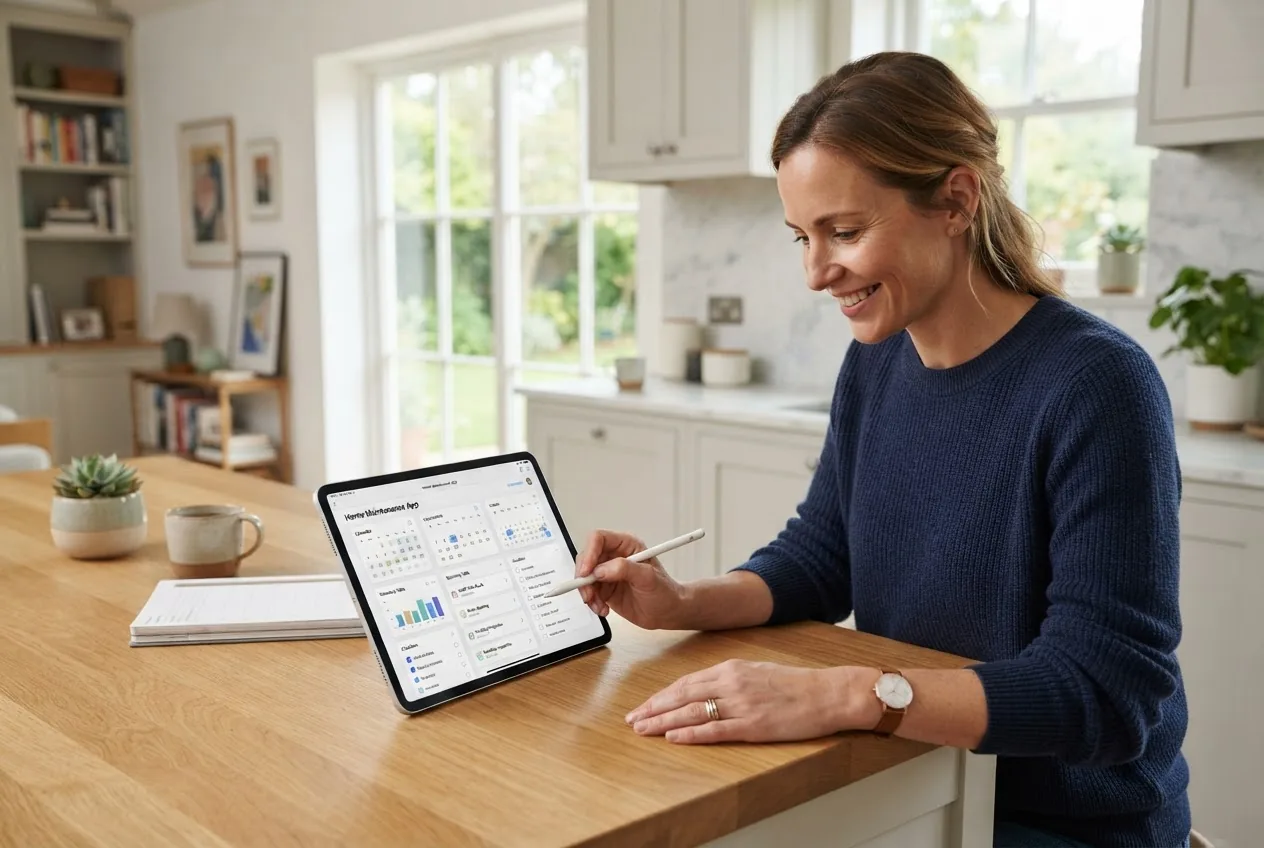
A home maintenance app is a purpose-built digital tool that helps homeowners plan, track and schedule upkeep—turning a sprawling list of chores into a managed program with reminders, records and shared responsibilities. These apps replace sticky notes and scattered spreadsheets with a centralized system for preventive care, warranty tracking and project timelines.
Unlike generic to-do apps, a dedicated home maintenance checklist app is pre-populated with domain-specific tasks (HVAC filter changes, gutter cleaning, seasonal checks) and includes features like recurring schedules, attachment storage for receipts and service histories, and team assignments for household members or contractors.
Benefits for homeowners include improved long-term asset value, fewer emergency repairs thanks to preventive alerts, and a single exportable maintenance history useful for resale. Think of the app as your digital home butler that never forgets a task—and can prove when it was done.
This guide treats these apps as part of a larger maintenance strategy, focusing on scheduling and management rather than cleaning services or booking tradespeople (those topics are covered in sibling articles). We’ll compare real apps, show feature trade-offs and map everything to a yearly/monthly maintenance framework you can deploy immediately.
Transitioning now to the critical selection criteria you should use when evaluating any home maintenance management app.
Key Features to Look for in a Home Maintenance App
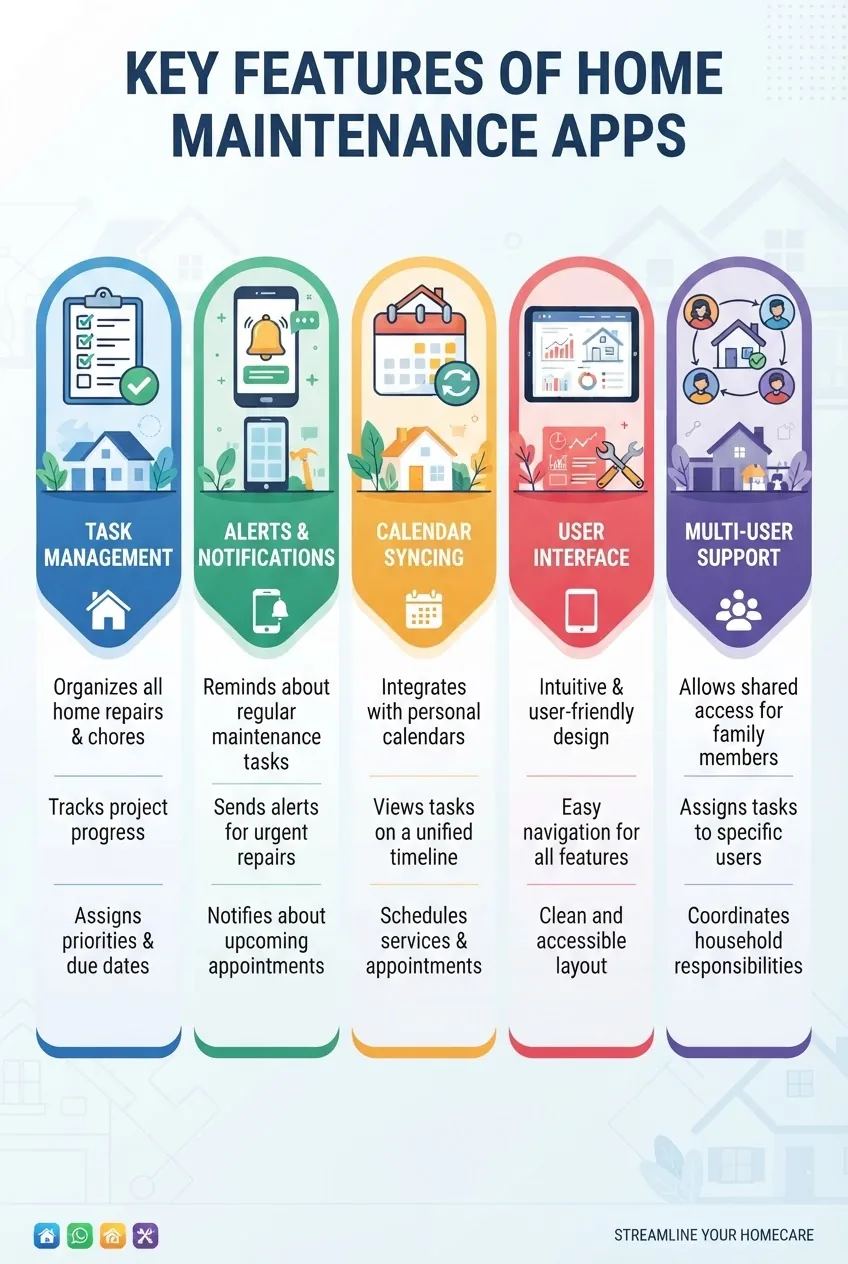
- Task management — Ability to create tasks, group them by location or system (roof, HVAC), set priorities, add detailed notes and attach photos or invoices. Look for subtask support for multi-step projects.
- Recurring reminders and smart scheduling — Exact interval settings (days/weeks/months/years), tolerance windows (e.g., 7-day grace period), and the ability to snooze or auto-reschedule after completion.
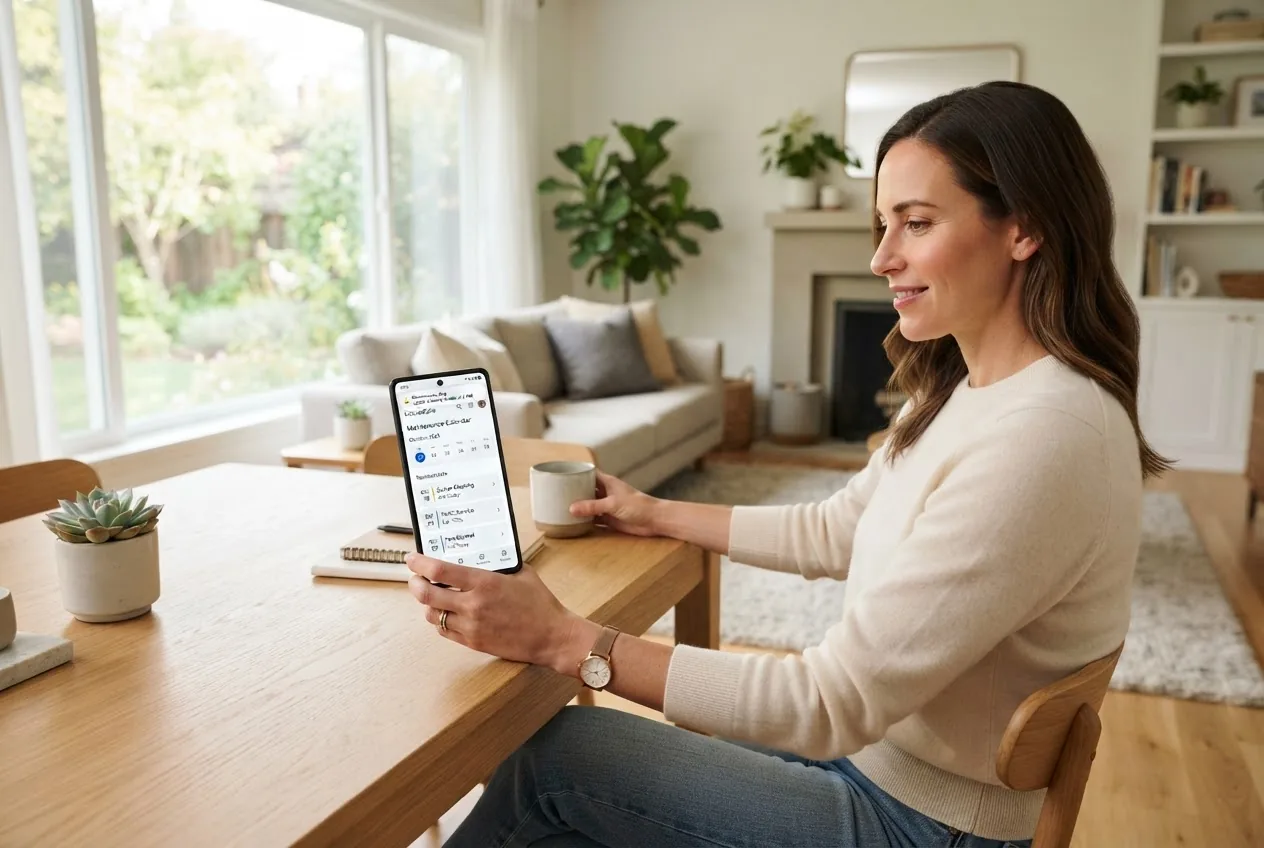
- Calendar sync — Two-way integration with Google Calendar, Apple Calendar, or Outlook so tasks and reminders show up in your main calendar. Verify whether the app creates full events or simple reminders.
- Notifications and alerts — Push notifications, email reminders, and secondary warnings (48 hours before due). Consider whether the app supports SMS for non-smartphone users.
- Multi-user support and task assignment — Invite household members, set permissions (view vs. edit), and receive read receipts or task confirmations. Essential for shared homes.
- User interface and ease of use — Clean navigation, minimal clicks to add recurring tasks, and a logical home-system breakdown. Trade-off: some powerful feature-rich apps have steeper learning curves.
- Data export and backups — CSV or PDF exports for maintenance histories and receipts. Check whether exports include attachments or only task metadata.
- Cost and pricing model — Free tier availability, per-household or per-user subscriptions, and premium features locked behind paywalls (cloud storage, team features, automation). Calculate annual cost per household before committing.
- Platform compatibility — Native iOS and Android apps plus a web app for desktop access improves adoption. Some apps are mobile-only; avoid those if you prefer desktop management.
- Security and privacy — Two-factor authentication (2FA), data encryption at rest and in transit, and clear privacy policies. For warranty and ownership records, ensure you can export your data if you leave the service.
Transitioning from features to real-world choices, the next section compares leading home maintenance software and apps you should consider for scheduling and management.
Top 8 Home Maintenance Apps for Scheduling and Management

Below is a compact comparison table that highlights platform compatibility, core features and starting price. After the table, each app includes a short review with pros, cons and the ideal user profile.
| App | Platforms | Recurring reminders | Multi-user | Free tier | Price (from) |
|---|---|---|---|---|---|
| HomeZada | iOS, Android, Web | Yes | Yes | Limited | $9.99/mo |
| Centriq | iOS, Android, Web | Yes | Limited | Free | Free / Premium |
| HomeRoutines | iOS | Yes | Basic | Paid app | $4.99 one-time |
| Tody | iOS, Android | Yes | Yes | Free tier | $2.99–$4.99 one-time |
| OurHome | iOS, Android | Yes | Yes (family) | Yes | Free / Optional |
| Sortly | iOS, Android, Web | Limited | Yes | Free tier | $39/yr |
| MaintainX | iOS, Android, Web | Yes | Yes (team) | Free tier | $4.99/user/mo |
| UpKeep | iOS, Android, Web | Yes | Yes (pro) | Free trial | $59/mo (team) |
Below are detailed practitioner-focused reviews of each app, including operational trade-offs and a short walkthrough where useful.
App 1: HomeZada
HomeZada is a full-featured home management platform that combines a home maintenance tracker, home inventory, and cost records. It focuses on long-term asset management more than simple chores.
Features: task scheduling with exact intervals, property inventory, photo receipts, document storage, report exports, and vendor tracking. Offers web dashboard plus mobile apps.
Pros: robust reporting for resale, detailed inventory tools, good export options.
Cons: steeper learning curve, some features behind subscription, higher price than basic checklist apps.
Pricing: Starter free tier with limited features; full access from $9.99/month or similar annual plans (subject to change).
Ideal user: homeowners who want a complete home maintenance management app and resale-ready maintenance history.
Walkthrough — Set a recurring reminder and calendar sync in HomeZada (practical):
- Create a property and add a system (e.g., “HVAC”).
- Add a task “Replace HVAC filter” and set recurrence to “Every 90 days”.
- Toggle “Create Calendar Event” and choose Google Calendar; then authorize the account when prompted.
- Set push notifications 48 hours before and email reminders the day of the task.
- Test by creating a dummy task next week and confirm it shows in your calendar within 5 minutes.
App 2: Centriq
Centriq focuses on equipment identification and manual/receipt storage alongside scheduled reminders. It emphasizes visual recognition for appliances and part information.
Features: manual library, photo-based item entry, reminders, basic scheduling, and vendor links.
Pros: excellent for keeping manuals and part info, good mobile UX for photos.
Cons: scheduling features are lighter than dedicated maintenance apps.
Pricing: free core features with paid add-ons for advanced exports.
Ideal user: homeowners who prioritize equipment manuals and replacement part research before scheduling tasks.
App 3: HomeRoutines
HomeRoutines is a focused iOS app with a clean interface for repeating chores and checklists. It favors simplicity and is efficient for household routines.
Features: chore grouping, recurring schedules, progress tracking, and a straightforward UI.
Pros: fast to use, low cost, great for daily and weekly tasks.
Cons: iOS-only and limited attachment/storage options.
Pricing: one-time purchase around $4.99.
Ideal user: iPhone households seeking a simple home maintenance checklist app without bells and whistles.
App 4: Tody
Tody blends cleaning schedules with maintenance reminders but remains task-focused. It provides visual indicators of task status and flexible scheduling.
Features: color-coded task status, flexible scheduling, and straightforward multi-device access.
Pros: very usable UX and affordable.
Cons: leans toward cleaning tasks; less robust for complex project tracking.
Pricing: low one-time fees on mobile stores or small subscription options.
Ideal user: homeowners who want simple recurring task management with visual progress cues.
App 5: OurHome
OurHome is family-oriented with chore assignments and reward systems, aimed at encouraging shared upkeep among children and partners.
Features: task assignment, shared lists, reminders, and simple reward features.
Pros: great for family adoption and habit-building.
Cons: not built for warranty records or deep inventory.
Pricing: free core features; optional in-app purchases.
Ideal user: families wanting to share responsibilities and maintain household routines collaboratively.
App 6: Sortly
Sortly is primarily an inventory app that becomes useful for home maintenance when you combine inventory with maintenance scheduling (e.g., tracking appliance ages and purchase dates).
Features: barcode/photo inventory, custom fields, and exportable lists.
Pros: excellent inventory and documentation features for insurance and resale.
Cons: limited native recurring maintenance features; best used with another scheduling app.
Pricing: free tier; paid plans from $39/year for advanced features.
Ideal user: homeowners focused on inventory and documentation who pair Sortly with a scheduling tool.
App 7: MaintainX
MaintainX is a lightweight CMMS (computerized maintenance management system) designed for teams, adapted well for property managers and multi-home households.
Features: work orders, checklists, real-time messaging, and asset histories.
Pros: strong team features and transparency for contractors.
Cons: household-oriented features are less polished; extra features add cost.
Pricing: free tier available; paid plans per user from about $4.99/month.
Ideal user: landlords, property managers, or homeowners with multiple properties or frequent contractor use.
App 8: UpKeep
UpKeep is a professional maintenance platform with robust scheduling and asset management; it’s overkill for most single-family homes but valuable for estates or property managers.
Features: advanced work orders, predictive maintenance, asset management and integrations with sensor data.
Pros: enterprise-grade features and strong reporting.
Cons: cost, complexity and business-focused UX.
Pricing: starts at team-tier pricing (~$59/month) with higher tiers for analytics.
Ideal user: property managers and owners of multiple units who need rigorous tracking and vendor coordination.
For readers who prefer to schedule professional help through apps or manage ongoing service subscriptions, these platforms also integrate with external services and vendor tracking — pairing well with affordable handyman subscription services.
If you like to do projects yourself, these apps can support planning and materials tracking alongside the DIY home repair projects guide.
User feedback summary: Across Google Play and the Apple App Store in 2024 many users praised HomeZada for its reporting and MaintainX for team workflows, while common complaints included limited free functionality and occasional calendar sync delays. According to a 2024 consumer technology review on TechRadar, simplicity wins for adoption; complex CMMS-style apps often require onboarding time. TechRadar
Transitioning to action: now learn how to use these apps to stay reliably on schedule with step-by-step operational tactics.
How to Effectively Use a Home Maintenance App to Stay on Schedule
This section gives practical steps and daily/weekly workflows that make maintenance stick rather than sit undone.
- Set exact recurrence rules — Use days (e.g., 90 days) or exact dates (e.g., 1st of March) rather than vague terms. Exact values avoid calendar translation errors between systems.
- Group tasks into monthly pillars — Assign 10–12 pillars: monthly quick checks (15–20 minutes), quarterly tasks (1–2 hours), and yearly tasks (2–6 hours). Document expected time per pillar so family members can plan.
- Use reminders with a two-stage alert — Set initial alert 7–10 days before due for planning and a final 48-hour reminder for action. This reduces last-minute slip-throughs.
- Sync once, verify twice — After linking your calendar, create a test event and confirm visibility on your primary calendar within 5–10 minutes. If events don’t appear, re-authorize the calendar token in the app.
- Assign by competency — Map tasks to household members by skill: electrical checks to licensed partners, basic filter changes to homeowners. Use the app’s permission settings to restrict editing where needed.
- Attach evidence on completion — Require a photo and short note for major tasks. That builds an exportable maintenance history useful for buyers or warranty claims.
- Automate recurring purchases — For consumables (filters, batteries), set reminders 7 days before a replacement and add an Amazon or retailer link in the note. Use in-app links or copy the URL into the task note.
- Run a monthly 10-minute review — At month-end, confirm completed tasks, reschedule pending ones, and update any changed service intervals (e.g., increase gutter cleaning frequency after a rainy season).
- Archive completed projects every 12 months — Export a PDF or CSV of the past year, include receipts, and store it in cloud storage with a filename like MaintenanceHistory_2025.pdf.
When prioritizing urgent items, follow these triage rules: safety issues first (smoke detector / electrical faults), then systems that prevent major damage (leaks, failing HVAC), then cosmetic or efficiency items. This prioritization helps you sequence tasks when time or budget is limited — and ties directly to guidance on what to repair before selling a home.
Cleaning tasks can and should be tracked in the same app if it supports checklists; for deep cleaning sequences see the detailed deep cleaning house checklist.
If you manage multiple projects, break projects into milestones with fixed dates (procure materials by X date, complete demo by Y date). Use the app’s notes and attachments to track receipts and timelines against the milestone.
Finally, use the app to plan and track home maintenance projects for efficient upkeep — assign milestone owners and set review dates to keep projects from slipping.
Transitioning from day-to-day use to system integration: the next section shows how to marry these apps with a formal yearly/monthly maintenance program.
Integrating Home Maintenance Apps with Overall Home Care Planning
A successful home maintenance program combines a master schedule, a checklist template and a method for audits. Apps are tools; the underlying framework is what keeps the home healthy.
Start by mapping the app’s task categories to a formal yearly and monthly calendar. For deep frameworks and templates consult the Complete Home Maintenance Checklist for Yearly and Monthly Care to align app tasks with seasonal pillars.
For inspection-level detail, cross-reference app tasks with the comprehensive maintenance inspection checklist to ensure your app-based schedule captures structural and safety checks.
Template integration: export your app’s monthly task list and import it into a formal maintenance schedule like the maintenance schedule template and program guide for equipment-level planning.
According to a 2024 government home safety report, routine checks of alarms, plumbing and HVAC reduce emergency incident frequency by measurable margins; for official safety guidelines see the U.S. Consumer Product Safety Commission site for smoke alarm and CO detector recommendations. U.S. CPSC
For trust and trade standards around repairs and remodeling, consult the National Association of Home Builders resources for recommended maintenance intervals and professional standards. NAHB
Integration checklist example (practical):
- Step 1: Import seasonal pillars into app (Spring, Summer, Fall, Winter).
- Step 2: Link each pillar to specific tasks and set exact intervals.
- Step 3: Export monthly view as CSV for your physical planner or cloud archive.
- Step 4: Schedule an annual inspection using the comprehensive checklist and attach the inspection report to the app record.
If you want to combine app reminders with third-party home improvement resources, many apps allow adding vendor links and notes. For broader consumer tech evaluations of these integrations, read independent reviews on TechRadar or similar consumer tech sites for reliability and privacy analysis.
Transitioning to troubleshooting: apps simplify maintenance, but they also introduce technical hurdles. The next section addresses common challenges and fixes.
Common Challenges and Troubleshooting Tips for Home Maintenance Apps
Below are frequent problems and concrete solutions based on practitioner experience.
- Syncing issues — Problem: calendar events don’t appear. Solution: re-authorize the calendar account, check app permissions on the phone (Calendar access), and force a sync or create a test event. If still failing, export/subscribe to an iCal feed if supported.
- Notification failures — Problem: push notifications stop. Solution: check Do Not Disturb, battery optimization settings (Android), and ensure the app is allowed to run in the background. Reinstall only after confirming server status on the app’s status page.
- User adoption barriers — Problem: family members ignore tasks. Solution: assign clear ownership, set short windows, and enable both push and email reminders. Use gamification or small rewards if helpful for children.
- Data privacy concerns — Problem: unsure how data is used. Solution: review the app privacy policy, enable 2FA where available, and export data monthly. Avoid storing sensitive personal documents in notes; store them in an encrypted cloud folder and link to tasks.
- Lost historical data — Problem: missing past records. Solution: enable automatic backups, use export features quarterly, and archive copies to cloud storage. If the app lacks export tools, consider manually saving screenshots and receipts until an export is possible.
- Feature limitations in free tiers — Problem: critical features behind paywalls. Solution: identify which features are essential before signing up and test during the free trial. If only one critical feature is missing, consider a low-cost annual plan.
For problems related to specific maintenance issues discovered during app use, consult the common home maintenance problems and repair solutions for step-by-step repair options.
Transitioning to forward-looking trends: see how technology will further shape home maintenance management.
Future Trends in Home Maintenance Management Software
Several trends will change how apps manage home care over the next five years:
- AI-driven predictive maintenance — Apps will analyze past service records and local weather data to suggest preemptive tasks (e.g., check roof seals before a predicted storm period).
- IoT and smart-home integration — Direct feeds from sensors (moisture, HVAC runtime) will create automatic maintenance tickets when thresholds are crossed.
- Voice assistant compatibility — Asking your home assistant to “schedule HVAC service” will create a task and tentatively book a slot with a connected vendor.
- Personalization — Apps will adapt scheduling intervals using machine learning based on your home’s actual usage and local environmental factors.
These advances increase convenience but also raise privacy implications as more sensor data and vendor connections flow through a single platform. Always weigh convenience against data security controls before enabling deep integrations.
Conclusion – Choosing the Right Home Maintenance App for You
Choose an app that matches your household complexity: simple checklist apps like HomeRoutines or Tody for small households; inventory-plus-maintenance tools like HomeZada or Sortly if you want resale-ready documentation; and CMMS-style platforms such as MaintainX or UpKeep for property managers.
Balance simplicity vs. features: pick an app that automates the most time-consuming parts (calendar sync, recurring reminders, attachments) without requiring more than one hour to learn. Consider total annual cost (subscription + any per-user fees) and calculate ROI in avoided emergency repair costs and time saved.
Practical next steps: pick two candidate apps, run the 60-minute trial checklist from earlier, and confirm calendar sync and export functionality before committing. For formal maintenance frameworks, align your in-app schedule to the Complete Home Maintenance Checklist for Yearly and Monthly Care.
If you’re ready to start now, set aside 90 minutes this weekend: install one app, import 12 pillar tasks, attach one warranty or receipt, and invite one household member. Take control and let the app be your digital home butler.